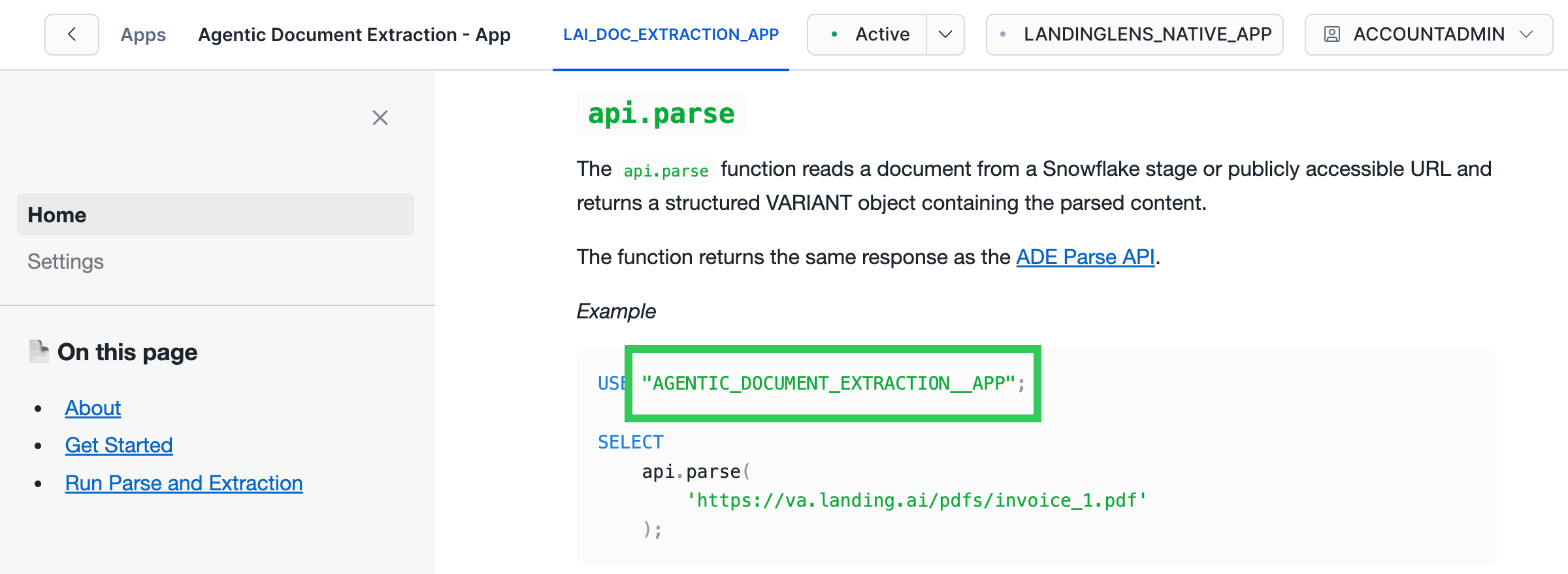
APP_NAME is used as a placeholder for your app name. The default app name is AGENTIC_DOCUMENT_EXTRACTION__APP.
You need your app name to:
App Name in Sample Scripts
Sample scripts in the app interface automatically use your app name. When you copy these scripts, you do not need to change the app name.Locate the Name of Your App
You can get the name of your instance of Agentic Document Extraction in Snowsight:- Open Snowsight.
- Go to Catalog > Apps > Agentic Document Extraction - App.
- The app opens to the Home page.
- Identify the app name in the first line of the scripts. For example, in the screenshot below, the name of the app is
AGENTIC_DOCUMENT_EXTRACTION__APP.