

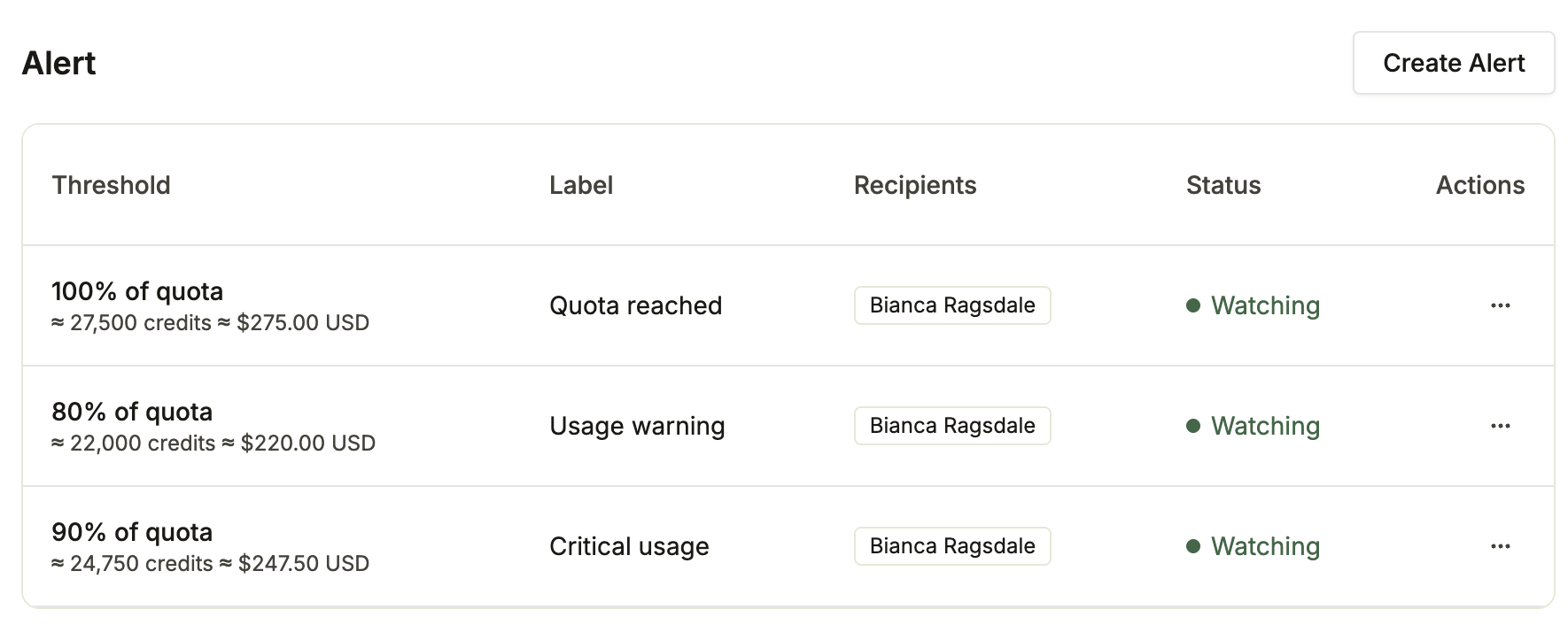
Credit Alert Availability
Credit usage alerts are available on the Team and Enterprise plans. Members with the Developer or Admin role can view alerts on the Usage page. Only Admins can create, edit, and delete alerts.Credit Alert Workflow
Alerts work like this:- Each alert has a threshold, a list of recipients, and an optional label.
- Your organization’s consumption for the current billing period is checked against each alert’s threshold every hour.
- When consumption crosses the threshold, the recipients receive an email. Each alert emails at most once per billing period, then starts watching again when the next period begins.
Default Alerts
By default, organizations on the Team and Enterprise plans have three alerts that are sent to members with the Admin role. Default alerts can be deleted.Create an Alert
Members with the Admin role can create alerts. To create an alert:- Go to the Usage page and scroll down to the Alert section.
- Click Create Alert.
- Enter the Alert threshold: a number and its unit (Credits, USD, or % of quota).
- Add up to 20 Recipients. Recipients must be members of your organization. A recipient who later leaves the organization stops receiving emails.
- To describe the alert, add an optional Label (for example, “Finance overage warning”).
- Click Create alert.