

ADE Section is in Preview. This feature is still in development and may not return accurate results. Do not use this feature in production environments.
Example Use Cases
Use ADE Section in workflows that need to navigate, scope, or retrieve content by section:- Extraction pipelines: Scope extraction queries to specific sections of a document (for example, “extract all tables in the Claims section”).
- RAG and search: Use section-aware chunking instead of sliding-window chunking for more relevant retrieval results.
- Document review: Generate a navigable TOC for long documents such as insurance policies, contracts, reports, and technical manuals.
- Cross-document analysis: Process large document batches and compare structure across a corpus.
- LLM applications: Provide context windows organized by section rather than arbitrary token splits.
How It Works
ADE Section accepts the Markdown output from ADE Parse (which contains reference anchors) and returns a structured table of contents. ADE Section automatically infers the document’s hierarchy. You can also pass an optionalguidelines parameter to control how sections are grouped.
The response includes two formats for the same TOC:
table_of_contents: A structured JSON array for programmatic usetable_of_contents_md: A Markdown-formatted TOC you can prepend to the document for navigation
The TOCs that ADE Section generates are in English, regardless of the source document language.
Run Parse First
The ADE Section API requires the Markdown output from the ADE Parse API as input. The Markdown must contain reference anchors (<a id="..."></a>) that ADE Section uses to map sections back to specific chunks in the original document.
Section in the Playground
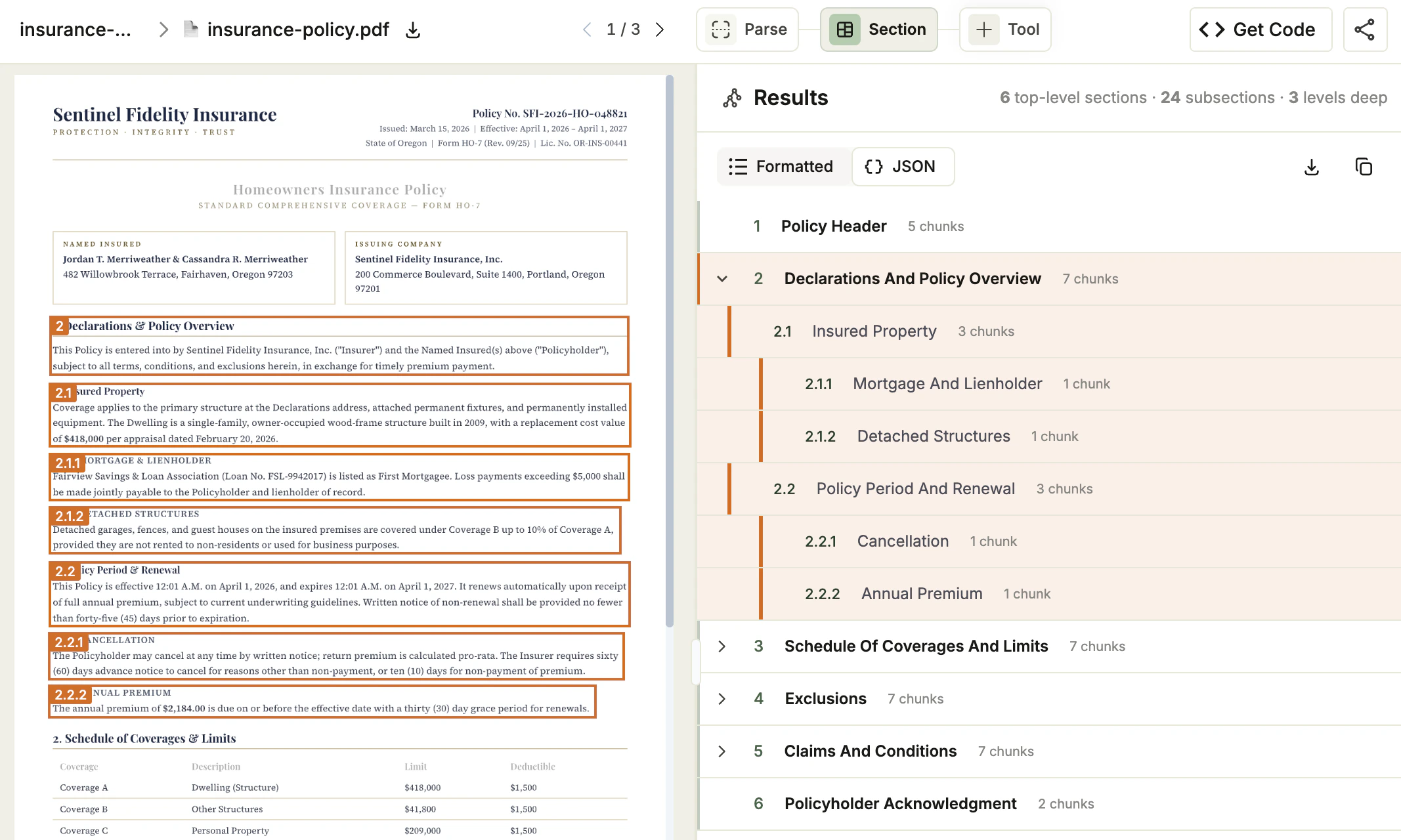
Use the Playground to test sectioning visually before incorporating it into your code. Upload a document, review the generated table of contents, and adjust the structure if needed. When the table of contents matches your use case, use the generated script with the API, Python library, or TypeScript library to section documents at scale.- Go to the Playground.
- Open a project and upload the file you want to section. Parse runs first.
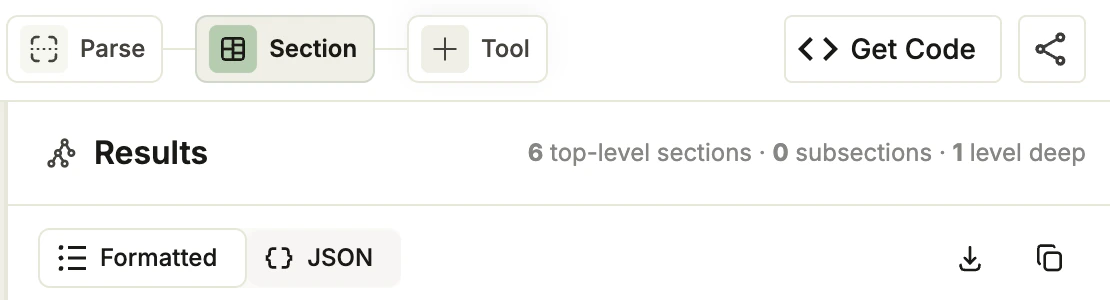
- After parsing completes, click + Tool in the top toolbar and select Section. ADE Section runs on every parsed file in the project. Section will run also automatically on any files later uploaded to the project.
- In the Results panel, review the generated table of contents. The header shows the number of top-level sections, the number of subsections, and the maximum depth.
- Hover over a section in the tree to highlight its chunks in the document viewer. Click a section to filter the viewer to just that section’s chunks. Click the section again to restore the full view.
- You can toggle between a visual representation of the results (Formatted) and the actual API JSON response (JSON).
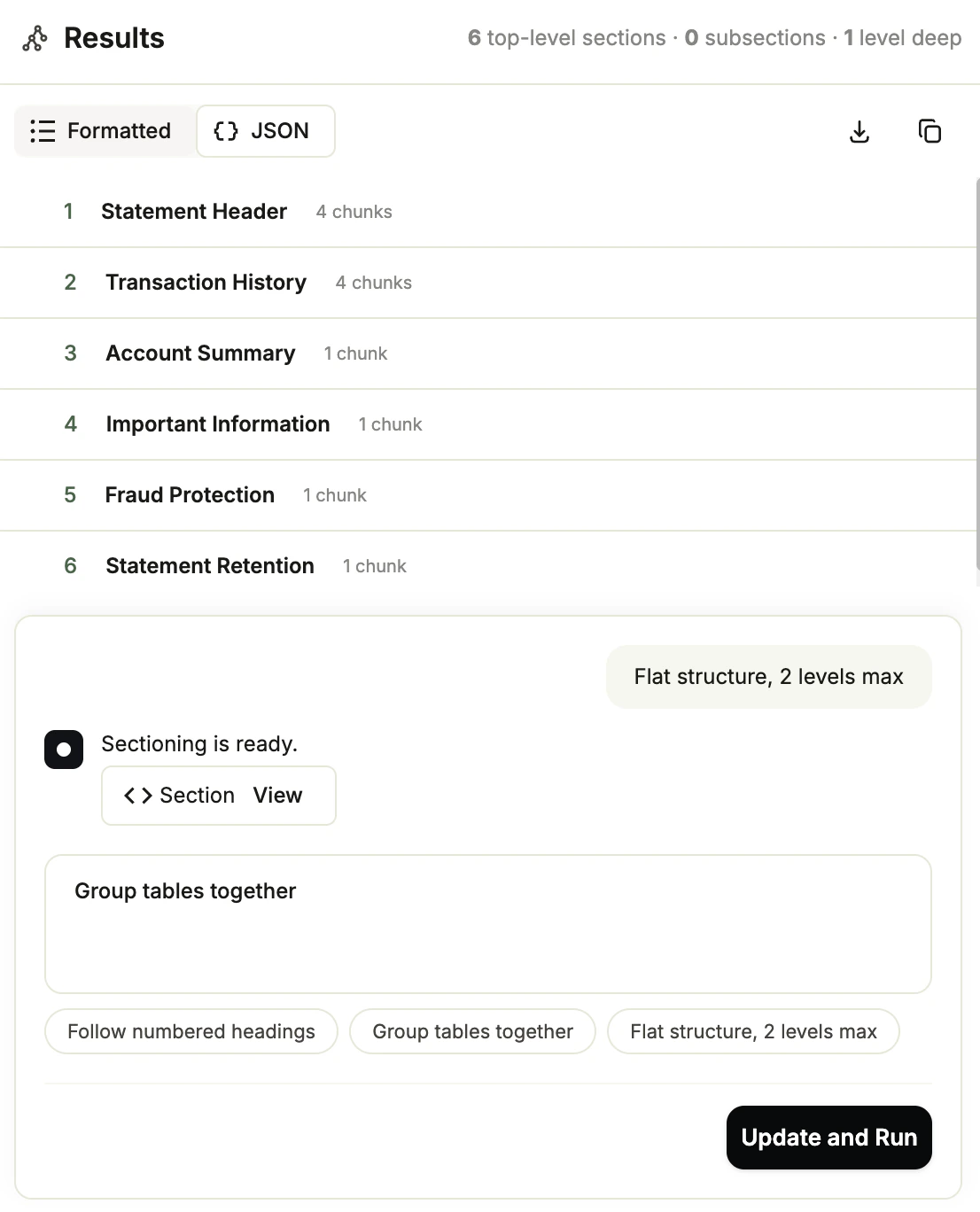
- (Optional) Enter natural-language instructions refining the sectioning in the Guidelines text box and click Update and Run. For more details, go to Refine the Table of Contents with Guidelines.
- Once the structure matches your use case, get a ready-to-use script.
Refine the Table of Contents with Guidelines
To adapt the structure to your use case, pass a natural-language guideline to control how ADE Section groups content. Guidelines are optional and apply per file. Only the most recent guideline for a file is kept; submitting a new guideline replaces the previous result. To submit a guideline:- Go to the Playground and open a project that has Section enabled.
- Select the file you want to refine.
- At the bottom of the Section panel, click Add Custom Section Guidelines (Optional) to expand that panel.
- Enter natural-language instructions or click one of the suggestions to prefill the input.
- Click Update and Run. ADE Section regenerates the table of contents for the selected file using your guideline.
Get a Ready-to-Use Section Script
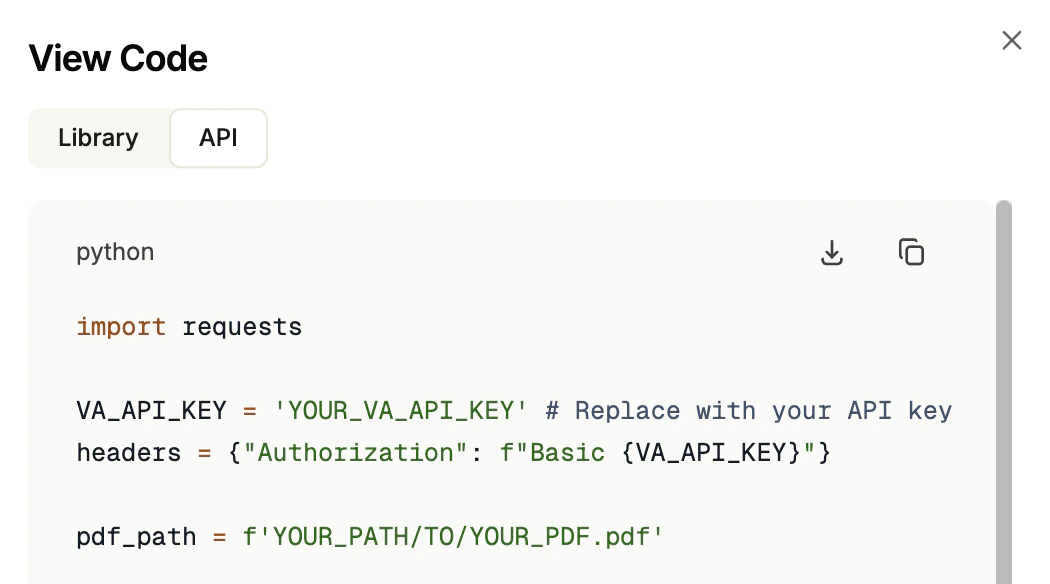
After you create a table of contents, Agentic Document Extraction generates a script to section files using the current guideline (if any). The Playground provides two versions: one for calling the API directly, and one for the ade-python library. To get the script:- Go to the Playground.
- Open a project.
- Click the Section tab.
- Click Get Code.
- The View Code pop-up opens. Click the Library or API tab to see the code for each method.
- Click the Download or Copy buttons to get the code.
Section with the API
Section a document by calling the ADE Section endpoint.Parameters
Get the full parameters from the API reference.
For detailed information about the API response, go to JSON Response for Sectioning.
For credit consumption rates, see Credit Consumption.
Use Section with Our Libraries
Click one of the tiles below to learn how to use the ADE Section API with our libraries.Python Library
Use ADE Section with our Python library.
TypeScript Library
Use ADE Section with our TypeScript library.
Share Your Feedback
ADE Section is in public preview and we are actively looking for feedback to improve it. To share your experience, schedule a feedback session with us. Come prepared to discuss:- What is working well
- Any challenges you’ve encountered and how the feature could improve
- The email address for your Agentic Document Extraction account, found in your profile page
- The documents you used
- The code you used