Parse a Document in the Playground
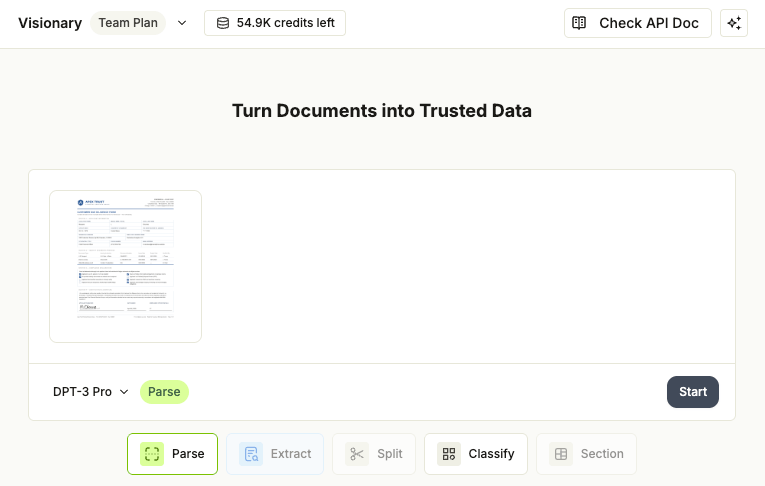
To parse a document with DPT-3:- Go to the Playground.
- In the upload card, confirm the model in the drop-down menu: DPT-3 Pro (the default) or DPT-3 Verity. DPT-3 Verity is a preview model with lower latency and per-word confidence scores; for the full comparison, see Parsing Models.
- Drag and drop your file into the upload area, or click to choose a file.
- Click Start. The Playground processes the file and opens the project view with the parse results.
Review the Results
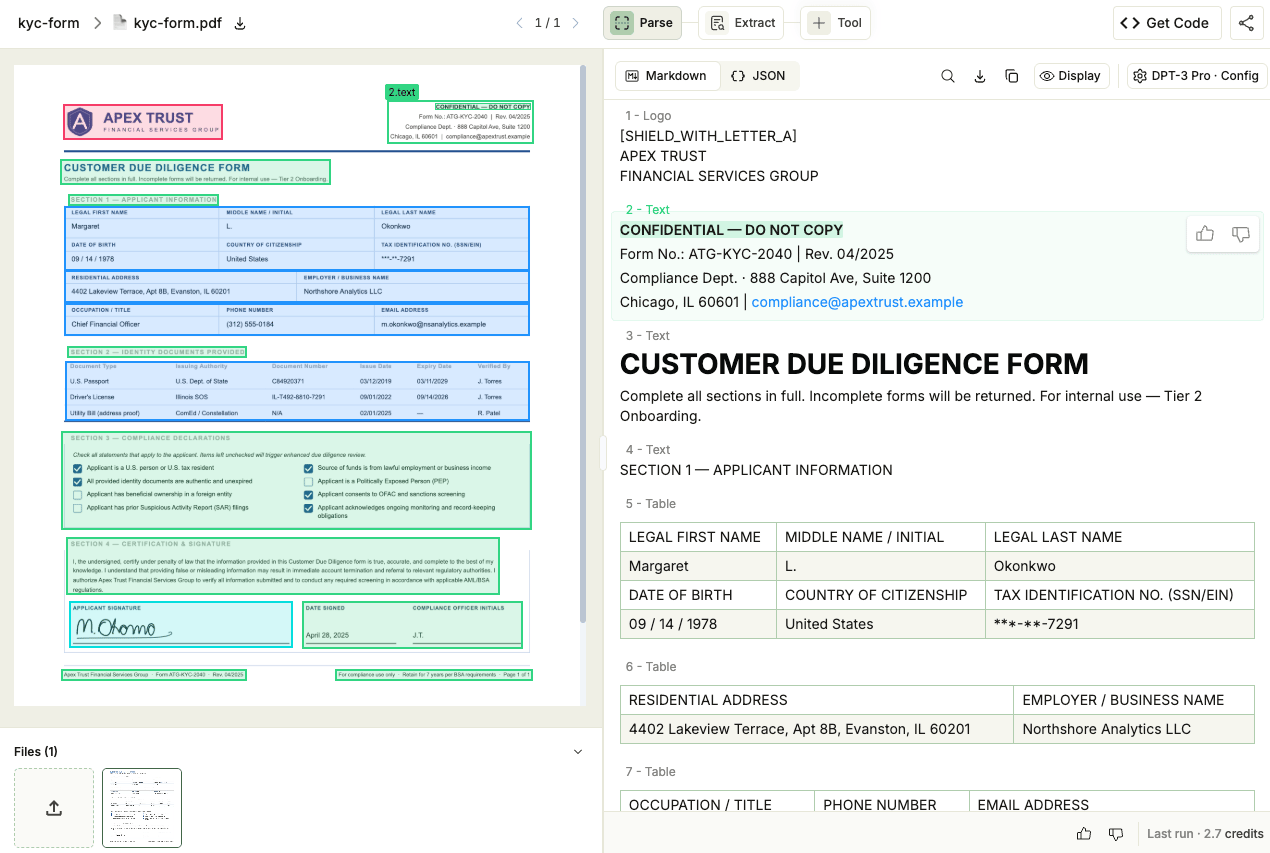
The parse results open in the Parse tab of the project view:- Markdown view (default): The reading-order Markdown rendering of your document. Use this for quick visual review or to copy into a downstream tool.
- JSON view: The full response payload. Use this view to inspect block ids, ranges, and grounding coordinates. To collapse or expand a nested section, hover over the narrow column along the left edge of the JSON and click the arrow that appears.
- Click a block in either view to highlight its bounding box on the document preview on the left.
- Use the Search, Download, and Copy buttons in the toolbar above the result to find text in the current view, save it, or paste it elsewhere.
- Click Display in the toolbar to change how results render: Always show atomic grounding keeps the fine-grained grounding boxes visible on the document preview, and Word wrap wraps long lines in the JSON view.
Review Word Confidence Scores (DPT-3 Verity)
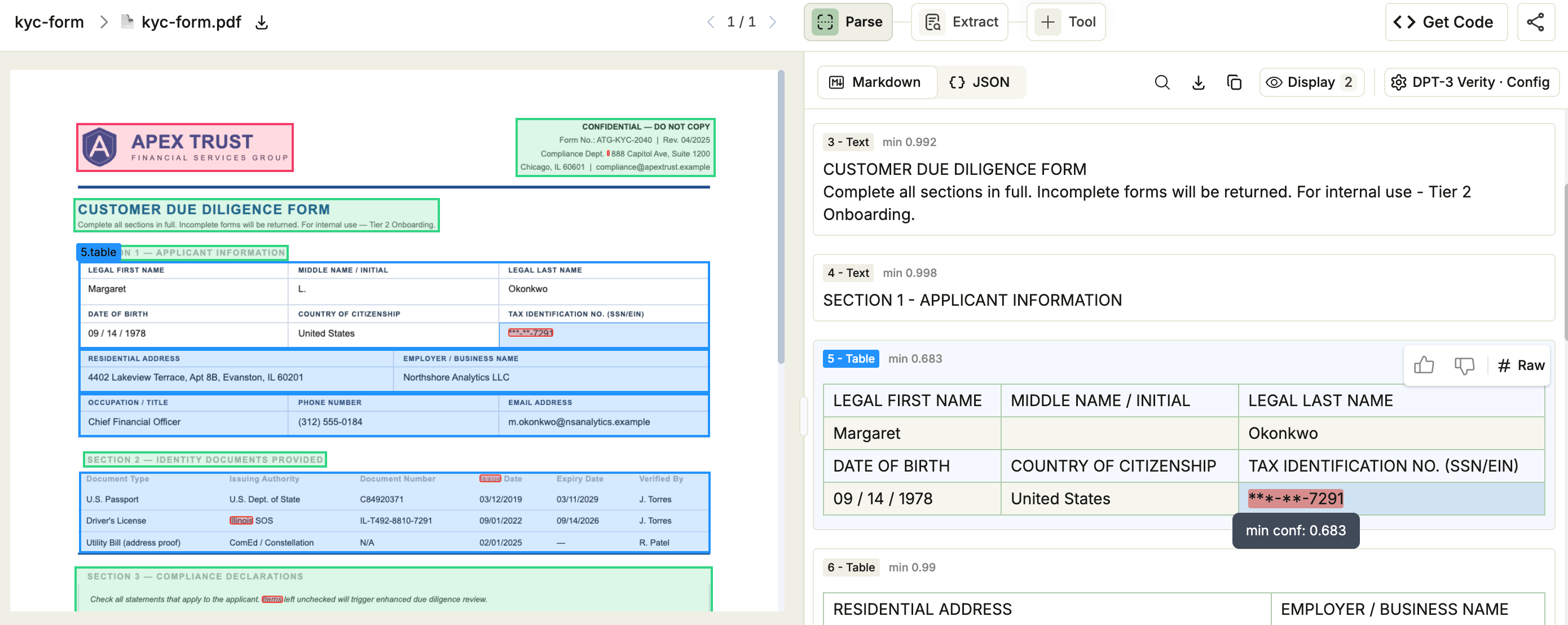
When you parse with DPT-3 Verity, every word in text, tables, and marginalia carries a confidence score.Spot Low-Confidence Words
The parse result highlights every word whose score falls below the confidence threshold. Hover over a highlighted word to see its score. Each block also shows its lowest word score (for example,min 0.683).
Confidence Settings in the Display Menu
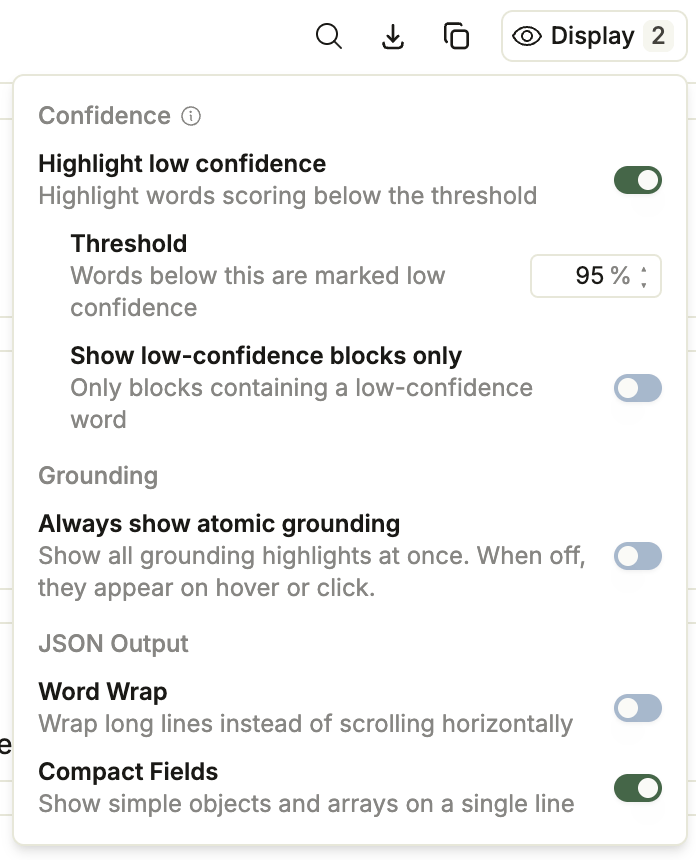
Open the Display menu on the Parse tab to adjust the highlighting:- Highlight low confidence: Show or hide the highlights. On by default, and available only for parses that include confidence scores.
- Threshold: Set the score that counts as low confidence (default 95%). The highlights update as you change it.
- Show low-confidence blocks only: Filter the results panel to blocks that contain at least one word below the threshold.
Customize the Parse Output with Config
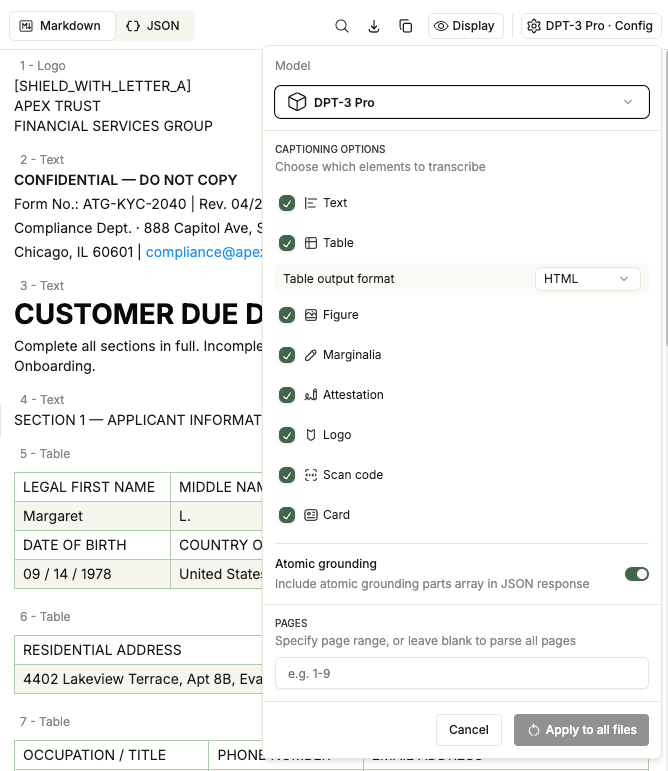
To change how DPT-3 parses your files, open the Config drop-down menu on the Parse tab and update the settings. These controls set the same values as the API’soptions field.
After you adjust the options, click Apply to all files to reparse with the new settings.
- Captioning options: Choose which block types are included in the Markdown (Text, Table, Figure, Marginalia, Attestation, Logo, Scan code, and Card). All are on by default. Clearing one drops that block type’s content from the Markdown, but the block still appears in the JSON structure and grounding.
- Table output format: Choose HTML (default) or Markdown for how tables appear in the Markdown output. This control appears only while Table captioning is on.
- Atomic grounding: Include the fine-grained grounding detail (the
atomic_groundingarray) with each block: per-line with DPT-3 Pro, per-word with DPT-3 Verity. On by default. - Pages: Enter the pages to parse (for example,
1-3) to process only part of the document. The Playground and the API’soptions.pagesfield both use 1-based page numbers.
Get a Ready-to-Use Code Snippet
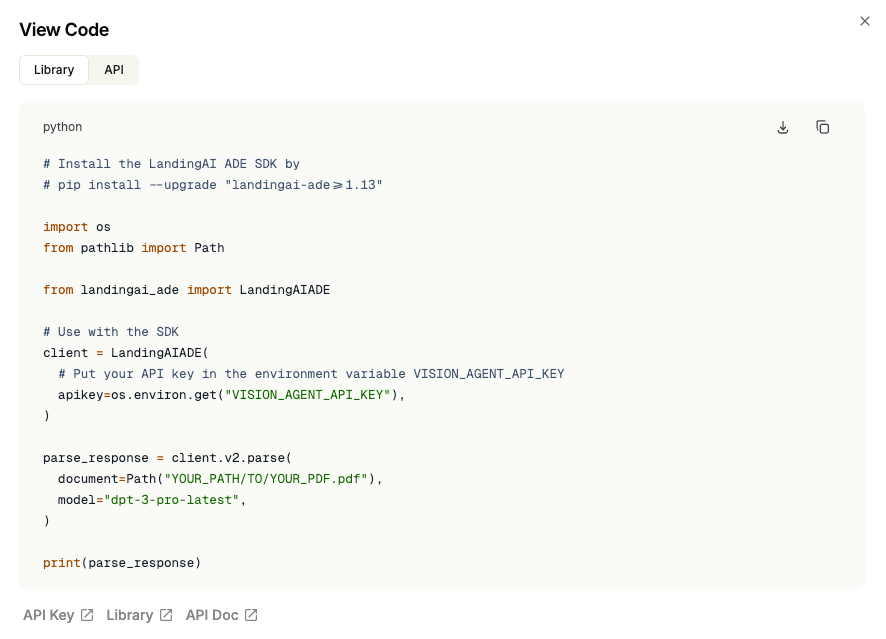
When the parse results match what you need, the Playground generates a Python script that reproduces the call, so you can parse the same document, or any other, from code. The Playground provides two versions: one for the ade-python library and one for calling the API directly. To get the script:- Click Get Code in the project header. The View Code pop-up opens.
- Click the Library or API tab to see the code for each method.
- Click the Download or Copy buttons to get the code.