

Install the CLI
The installer downloads a self-contained binary for your platform and puts it in~/.ade/bin. No Python or other runtime is needed.
Log In
Log in with your ADE account. Your browser opens to authenticate, and the CLI stores the credential. For more login options, see Authentication.Parse a Document
Download the sample patient billing statement, then pointade parse at it. The run creates a folder and saves the parsed Markdown output (parse.md) and related files in it. To run more commands on this document, like extract or view, use the job item ID.
Passing --tier standard runs the parse in the lane that consumes half the credits, at a slower turnaround. The CLI uses the priority tier when you omit the flag, so add --tier standard whenever you are not waiting on the result. See Choose a Service Tier.
Command
Output
Extract the Fields You Need
A schema tells the extraction which fields to pull and how to recognize them. Download the sample schema, or save the block below asschema-patient-statement.json. To create your own later, build it visually in the Playground and download the JSON, or write the schema with Extraction Schema (JSON).
schema-patient-statement.json
Run the Extraction
Run the extraction against your parse, using the job item ID from the parse output. The run saves the extracted values (extract.json) and a record of where each value was found (evidence.json) in a folder of its own.
Command
Output
See Where Every Value Came From
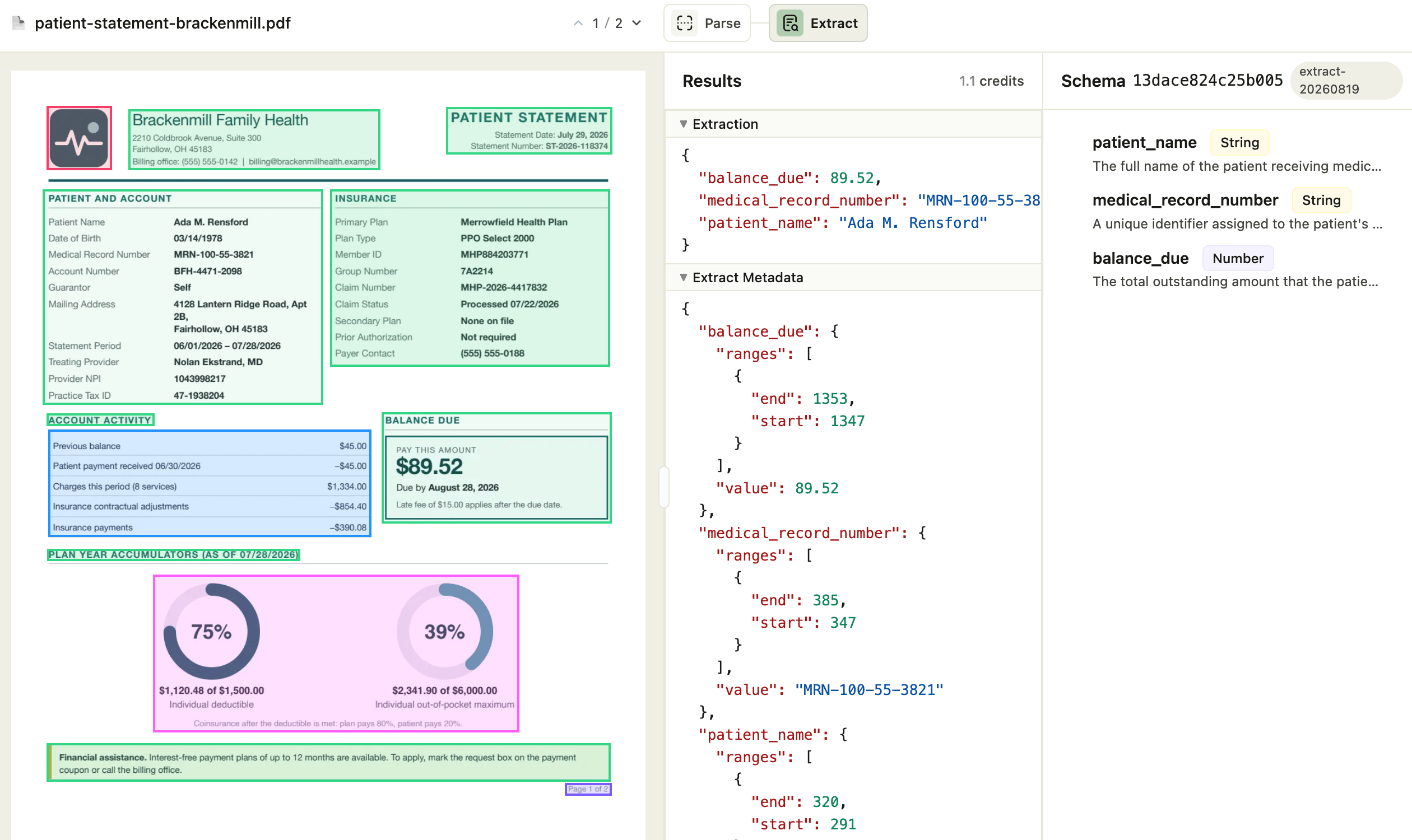
Open the extraction in your browser. The viewer shows the extracted values beside the original pages, and selecting a field highlights the exact spot on the document it came from:Command
Output
Common Tasks
Each command below takes a job item ID, or any unambiguous prefix of one. AI agents:ade help --json returns this whole surface as one JSON object.