> ## Documentation Index
> Fetch the complete documentation index at: https://docs.landing.ai/llms.txt
> Use this file to discover all available pages before exploring further.
# Chunk Types
> Understand the chunk types ADE returns, such as text, tables, figures, and form fields.
export const dpt2 = 'DPT-2';
export const dpt1 = 'DPT-1';
export const dpt = 'Document Pre-Trained Transformer';
export const companyName = 'LandingAI';
export const extract = 'ADE Extract';
export const parse = 'ADE Parse';
export const ade = 'Agentic Document Extraction';
## Chunk Definition
A **chunk** is a discrete element extracted from a document, such as a block of text, a table, or a figure.
## Chunk Overview
When you send a document to the {ade} API, it analyzes the content on each page, breaks it down into meaningful elements, and returns each one as a chunk.
Each chunk includes structured data that describes the content of the chunk and the location of the chunk in the document. This structure makes it easier to understand the extracted data and use it for downstream tasks.
Extracted chunks are included in the API response.
## Semantic Chunking
The {ade} API uses semantic chunking, which means it intelligently groups content based on meaning rather than just layout or formatting.
Instead of splitting documents at arbitrary points like fixed lengths or paragraph breaks, the API identifies coherent units of information (like complete ideas, logical sections, or related data) and extracts them as individual chunks.
Semantic chunking improves the relevance and usability of the extracted content, especially in downstream tasks like search, retrieval, and analysis.
## Why Do We Create Chunks?
Chunking makes downstream tasks faster, more accurate, and easier to scale. It serves several key purposes:
* **Enables downstream apps to process large documents efficiently**: Chunking allows applications like RAG systems and LLMs to index and retrieve smaller, meaningful segments instead of full documents. This helps avoid input size constraints, such as token limits.
* **Improves retrieval granularity**: Smaller, semantically meaningful units allow for more accurate and relevant results in downstream tasks like question answering and summarization.
* **Supports downstream semantic search and embeddings**: Well-structured chunks provide better inputs for embedding and make it easier to index and retrieve information during search.
* **Maintains human readability**: Chunking reflects how a human would naturally read the document, maintaining the visual and logical relationships between elements on the page.
## Chunk Types
Each chunk is labeled with a chunk type (`chunk_type` or `type`, depending on the API used), which identifies what kind of content it represents.
The chunk types returned by {ade} are:
* [`text`](#text)
* [`table`](#table)
* [`marginalia`](#marginalia)
* [`figure`](#figure)
* [`logo`](#logo): This is only available when using [{dpt2}](./ade-parse-models#dpt-2)
* [`card`](#card): This is only available when using [{dpt2}](./ade-parse-models#dpt-2)
* [`attestation`](#attestation): This is only available when using [{dpt2}](./ade-parse-models#dpt-2)
* [`scan_code`](#scan_code): This is only available when using [{dpt2}](./ade-parse-models#dpt-2)
## Text
A `text` chunk type is an element that consists entirely of characters (letters and numbers), such as:
* paragraphs
* titles and headings
* lists
* form fields
* checkboxes
* radio buttons
* equations
* code blocks
* handwritten text
### Output for Key-Value Pairs
If the `text` content has key-value pairs, like form fields, the extracted data will be returned as key-value pairs separated by line breaks (`\n`).
### Example: Paragraph
Here is an example of the API marking a paragraph as a `text` chunk:
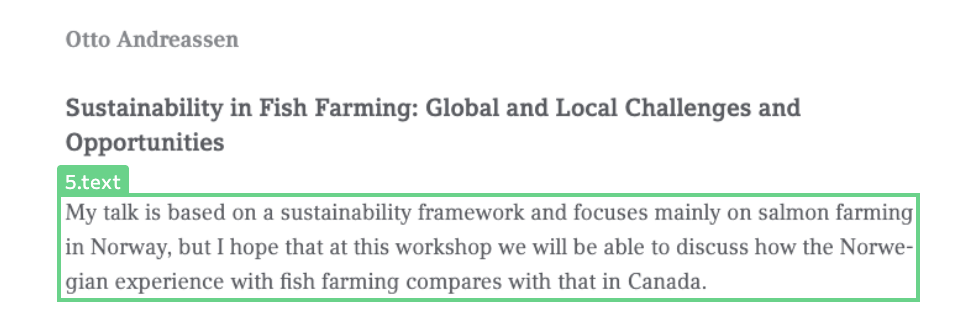 Here is the rendered Markdown for that chunk:
 ### Example: Lists
Here is an example of the API marking a list as a `text` chunk:
### Example: Lists
Here is an example of the API marking a list as a `text` chunk:
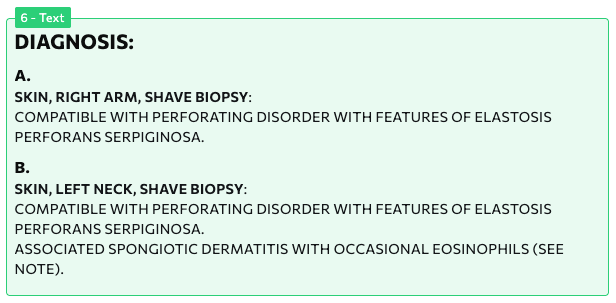
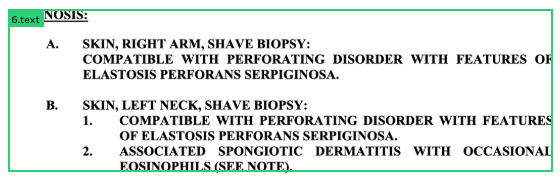 Here is the rendered Markdown for that chunk:
 ## Table
A `table` chunk type is a grid of rows and columns containing data.
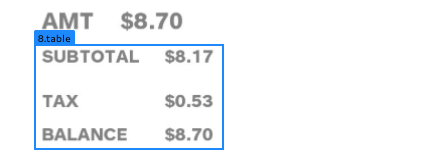
{ade} doesn't require gridlines to be present, and typically interprets well-aligned sets of data to be part of a table. For example, part of a receipt can be extracted as a table if the purchased items align with the costs.
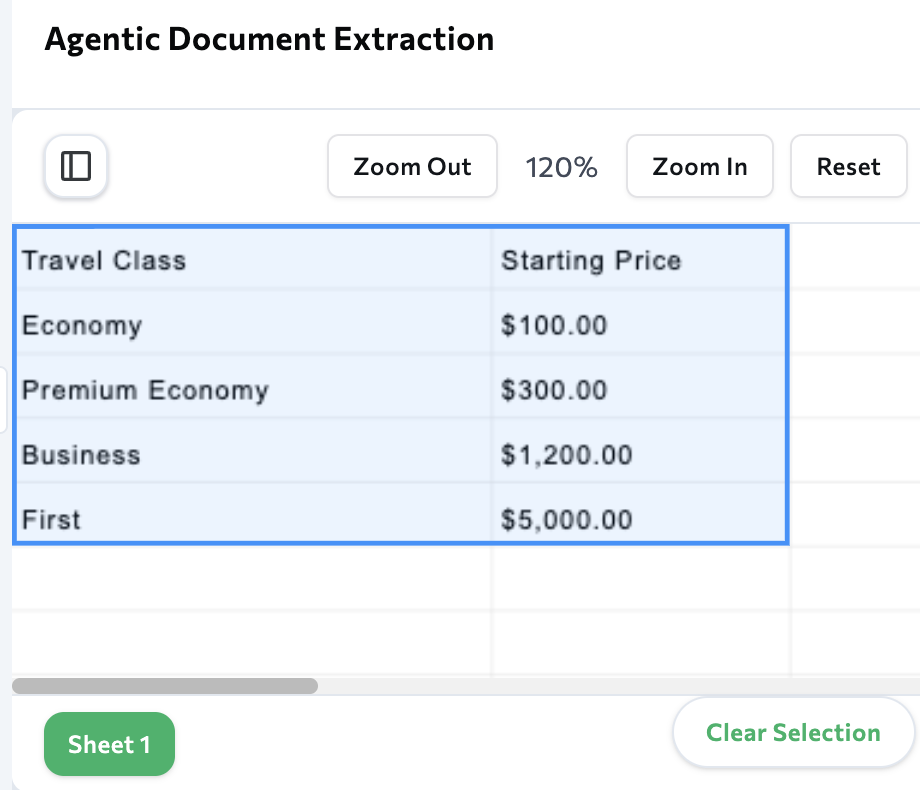
When you parse spreadsheets, sets of data are also interpreted as `table` chunks.
### Example: Receipt
Here is an example of the API marking receipt line items as a `table` chunk:
## Table
A `table` chunk type is a grid of rows and columns containing data.
{ade} doesn't require gridlines to be present, and typically interprets well-aligned sets of data to be part of a table. For example, part of a receipt can be extracted as a table if the purchased items align with the costs.
When you parse spreadsheets, sets of data are also interpreted as `table` chunks.
### Example: Receipt
Here is an example of the API marking receipt line items as a `table` chunk:
 Here is the rendered Markdown for that chunk:
 ### Example: Earnings Statement
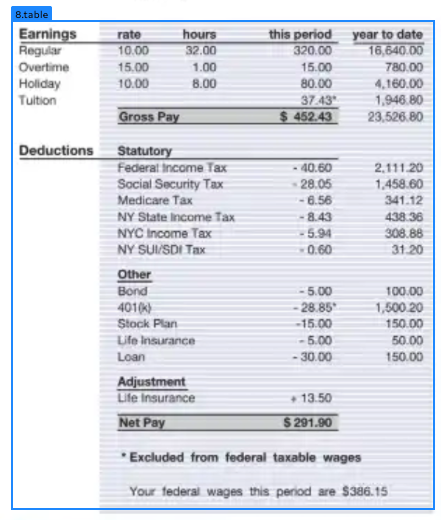
Here is an example of the API marking part of an earnings statement as a `table` chunk:
### Example: Earnings Statement
Here is an example of the API marking part of an earnings statement as a `table` chunk:
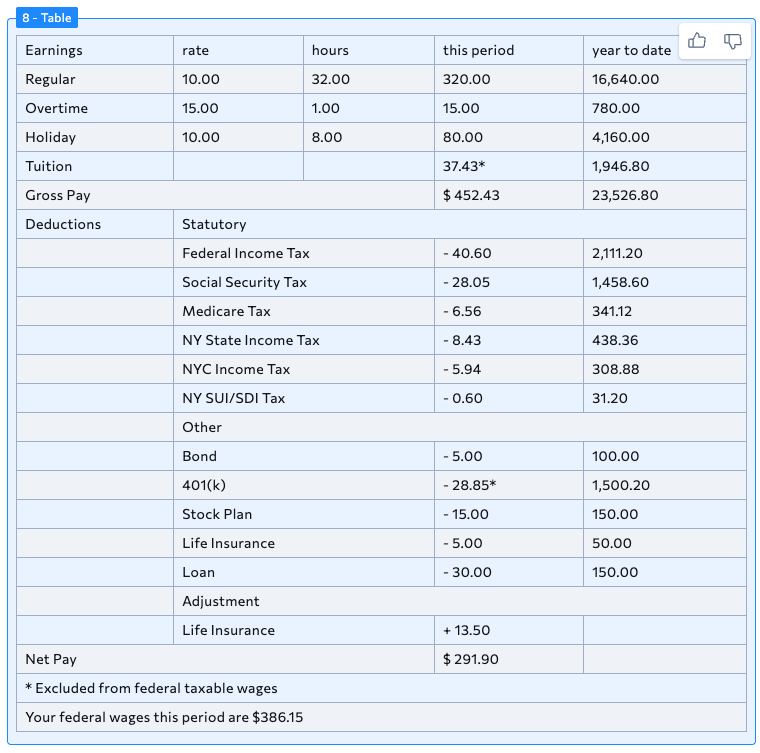
 Here is the rendered Markdown for that chunk:
 ### Example: Spreadsheet
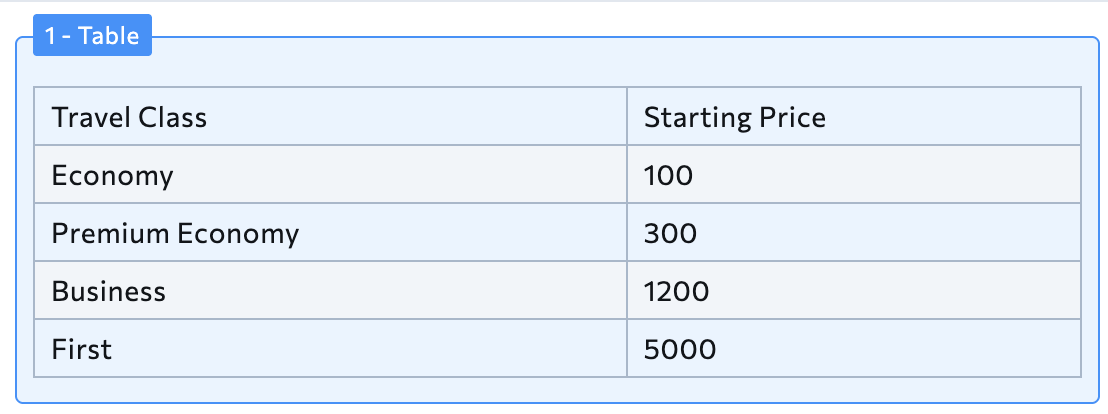
Here is an example of the API marking data in a spreadsheet as a `table` chunk:
### Example: Spreadsheet
Here is an example of the API marking data in a spreadsheet as a `table` chunk:
 Here is the rendered Markdown for that chunk:
 ## Marginalia
A `marginalia` chunk type is a set of text in the top, bottom, or side margins of a document, including:
* page headers
* page footers
* page numbers
* handwritten notes in margins
* line numbers on one side of a page
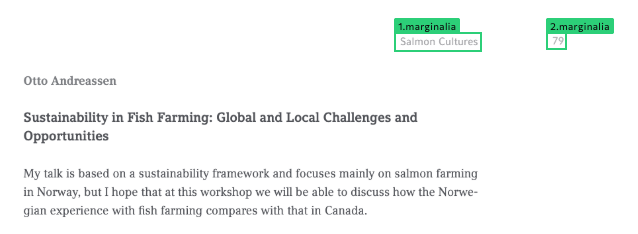
#### Example: Header and Page Number
Here is an example of the API marking a header and page number as a `page_header` chunk:
## Marginalia
A `marginalia` chunk type is a set of text in the top, bottom, or side margins of a document, including:
* page headers
* page footers
* page numbers
* handwritten notes in margins
* line numbers on one side of a page
#### Example: Header and Page Number
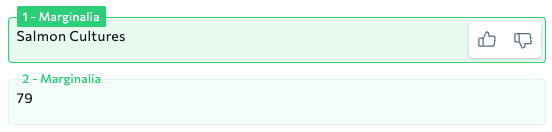
Here is an example of the API marking a header and page number as a `page_header` chunk:
 Here is the rendered Markdown for that chunk:
 ## Figure
A `figure` chunk type is an element that contains visual or graphical non-text content, including:
* pictures
* graphs (bar graphs, line graphs, etc.)
* flowcharts
* diagrams
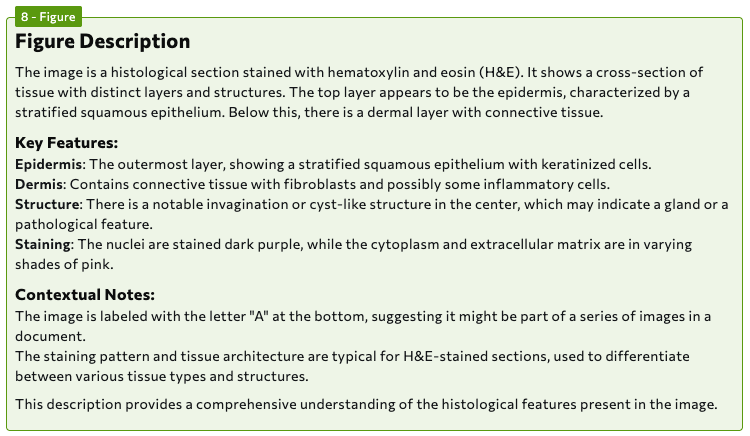
### Example: Medical Imaging
Here is an example of the API marking a pathology image as a `figure` chunk:
## Figure
A `figure` chunk type is an element that contains visual or graphical non-text content, including:
* pictures
* graphs (bar graphs, line graphs, etc.)
* flowcharts
* diagrams
### Example: Medical Imaging
Here is an example of the API marking a pathology image as a `figure` chunk:
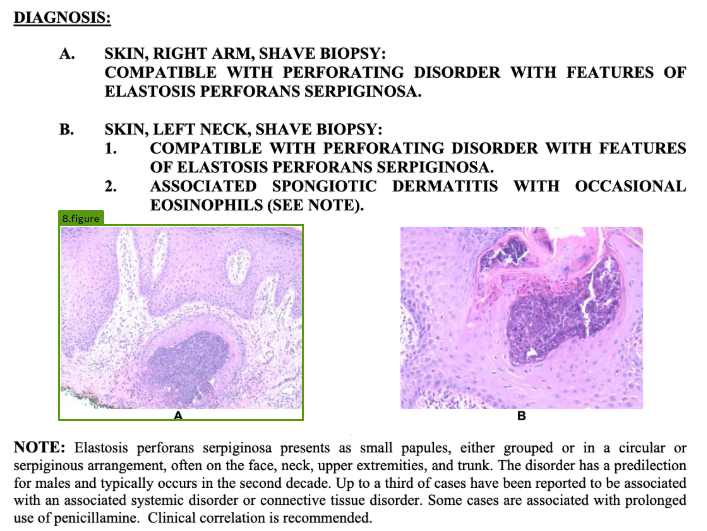 Here is the rendered Markdown for that chunk:
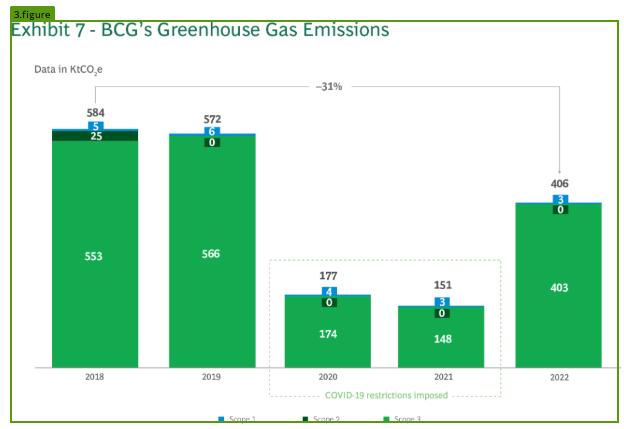
 ### Example: Bar Chart
Here is an example of the API marking a bar chart as a `figure` chunk:
### Example: Bar Chart
Here is an example of the API marking a bar chart as a `figure` chunk:
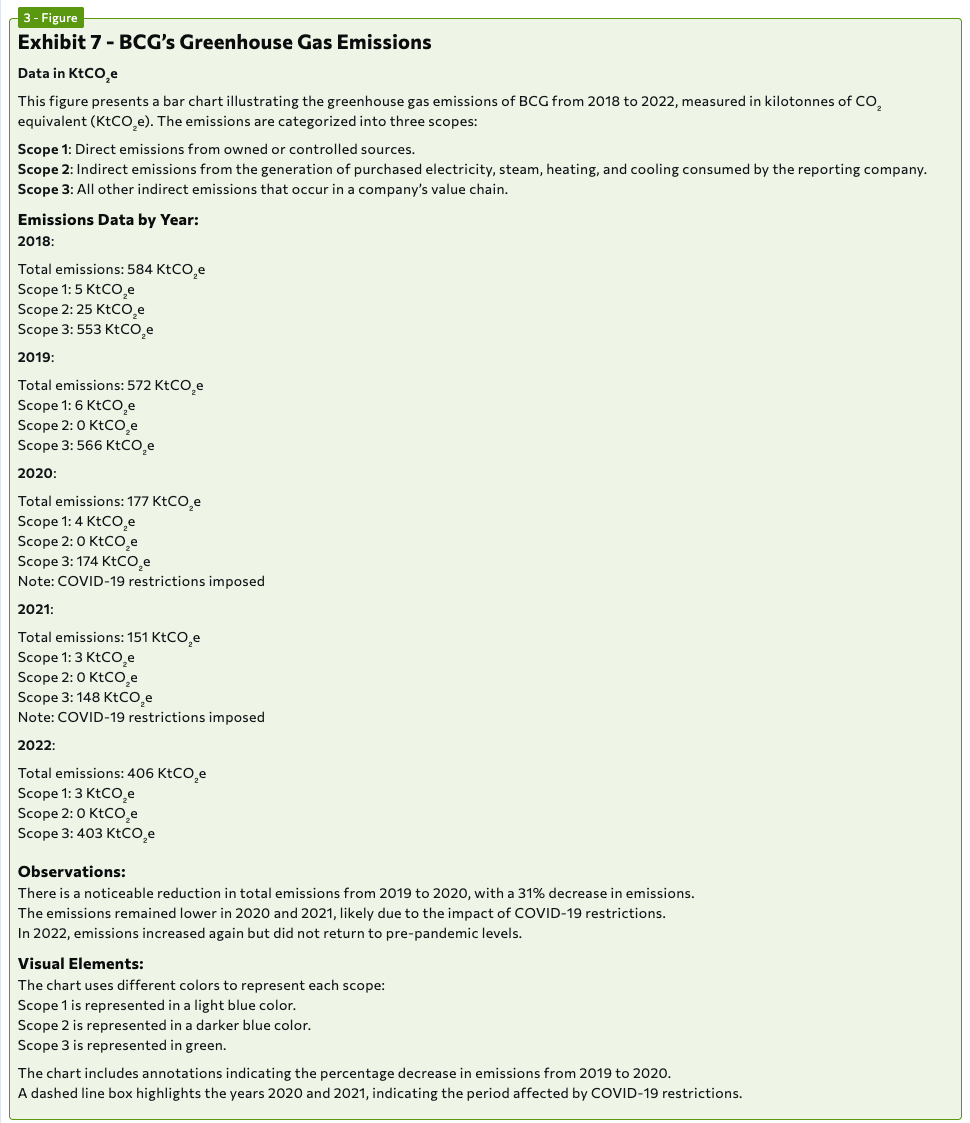
 Here is the rendered Markdown for that chunk:
 ## Logo
A `logo` chunk type identifies logos.
The `logo` chunk type is only available when using [{dpt2}](./ade-parse-models#dpt-2).
### Example: Logo in Header
Here is an example of the API marking a logo in a document header as a `logo` chunk:
## Logo
A `logo` chunk type identifies logos.
The `logo` chunk type is only available when using [{dpt2}](./ade-parse-models#dpt-2).
### Example: Logo in Header
Here is an example of the API marking a logo in a document header as a `logo` chunk:
 Here is the rendered Markdown for that chunk:
 ## Card
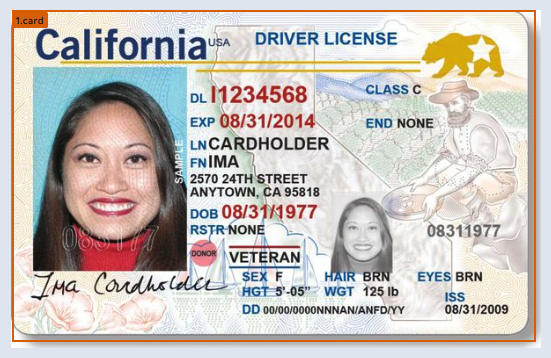
A `card` chunk type identifies:
* ID cards
* driver licenses
The `card` chunk type is only available when using [{dpt2}](./ade-parse-models#dpt-2).
### Example: Driver's License
Here is an example of the API marking a driver's license as a `card` chunk:
## Card
A `card` chunk type identifies:
* ID cards
* driver licenses
The `card` chunk type is only available when using [{dpt2}](./ade-parse-models#dpt-2).
### Example: Driver's License
Here is an example of the API marking a driver's license as a `card` chunk:
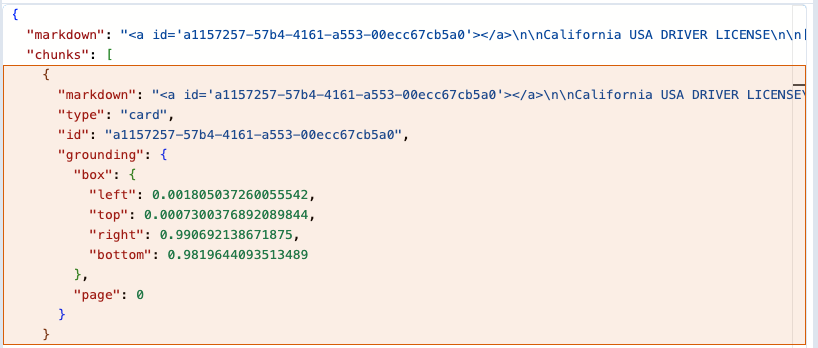
 Here is the rendered Markdown for that chunk:
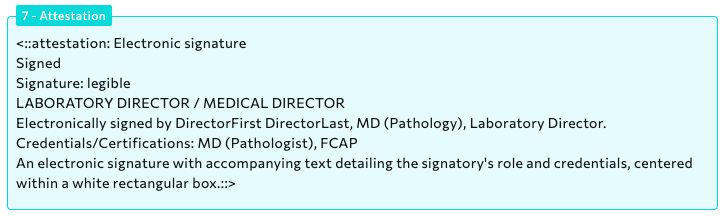
 ## Attestation
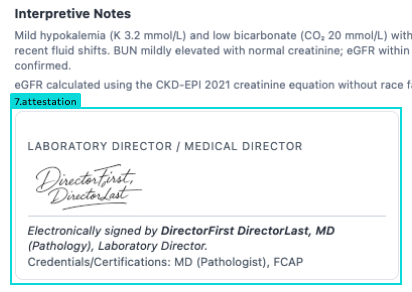
An `attestation` chunk type includes:
* signatures
* stamps
* seals
The `attestation` chunk type is only available when using [{dpt2}](./ade-parse-models#dpt-2).
### Example: Signature
Here is an example of the API marking a signature as an `attestation` chunk:
## Attestation
An `attestation` chunk type includes:
* signatures
* stamps
* seals
The `attestation` chunk type is only available when using [{dpt2}](./ade-parse-models#dpt-2).
### Example: Signature
Here is an example of the API marking a signature as an `attestation` chunk:
 Here is the rendered Markdown for that chunk:
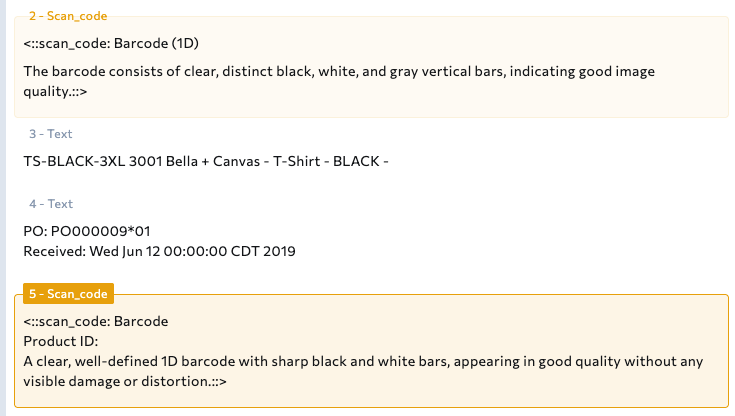
 ## Scan\_code
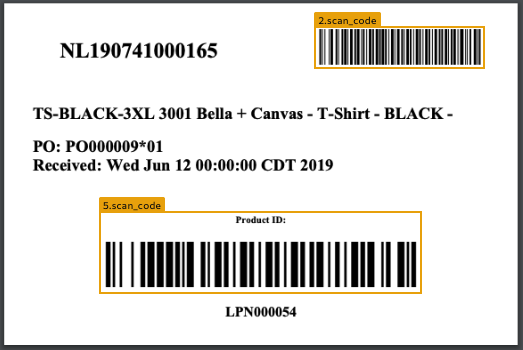
A `scan_code` chunk type identifies:
* QR codes
* bar codes
The `scan_code` chunk type is only available when using [{dpt2}](./ade-parse-models#dpt-2).
### Example: Bar Codes
Here is an example of the API marking two barcodes as `scan_code` chunks:
## Scan\_code
A `scan_code` chunk type identifies:
* QR codes
* bar codes
The `scan_code` chunk type is only available when using [{dpt2}](./ade-parse-models#dpt-2).
### Example: Bar Codes
Here is an example of the API marking two barcodes as `scan_code` chunks:
 Here is the rendered Markdown for these chunks: